

When travelling abroad there’s many different logistics to consider, including visas, money and healthcare. One that tends to pop up at the most inopportune times is needing to make international phone calls.
I’ve been travelling full time since 2021, living on a sailboat, and over the years then I’ve tried a number of different calling plans and apps. In this article we’re going to look at 5 different ways you can make phone calls while travelling, including how to make cheap international calls without the drama of roaming.
1. Mobile phone roaming
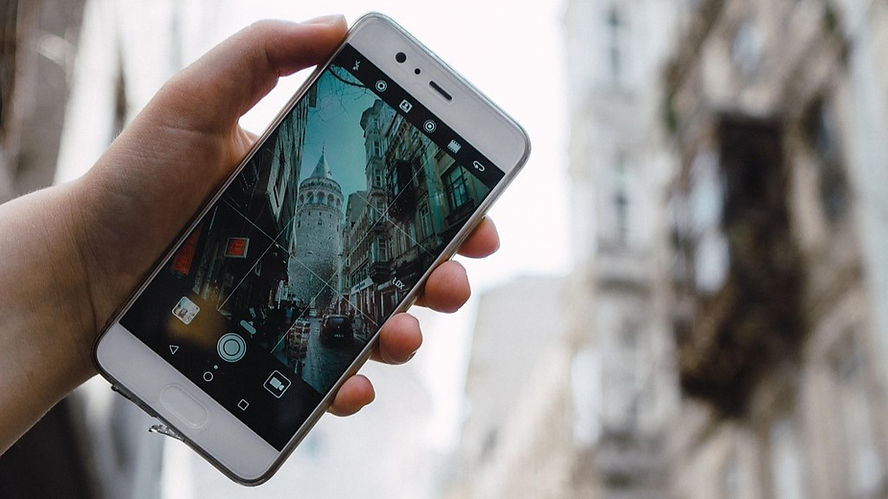
Let’s start with one of the old-school options, using a SIM card from your home country and enabling roaming so that it works abroad with an international calling plan.
With some cell phone providers your phone will automatically start roaming when you go abroad, while others require you to manually enable it in their system. Some don’t offer roaming at all. It’s best to check your providers guidelines before departing to see whether they offer roaming coverage in your destination, and what the fees for roaming data and calls are.
Pros
- Your provider may offer a free allowance for roaming calls
- You can keep your original phone number
Cons
- Your network may not roam to the country you’re travelling to
- Roaming rates tend be much more expensive than normal
When it comes to roaming a home SIM, the benefits can really depend on where home is. For example, as Aussies we can receive text messages and one-time pins for free as long as there’s a local network for the phones to connect to, which makes it worth having even if we’re not using the SIM as our primary way to make calls. A Canadian friend can’t do this, as his telco charges for every inbound message.
For European SIM cards, the “Roam Like At Home” legislations means people can use their mobile devices while travelling across the EU and EEA, with a fair usage amount reserve for roaming that doesn’t have extra fees.
Using Google Fi for roaming overseas
If you’re American, you can get a Google Fi account on the T-Mobile network. It has some attractive benefits including international roaming in 200+ countries, hotspot tethering, and extras like YouTube Premium on some plans.
The catch is that Google Fi is designed primarily for use in the United States. If the majority of your usage occurs outside the US during a rolling 90-day period, Google may suspend your international data. You’ll usually receive a warning first, but long-term travelers often find their roaming data cut off unless they return to the US and use the service there again.

2. Buy a local SIM card
The next option would be to get a local SIM card that has an international calling allowance. When going down this route it’s important to make sure you know which countries you can call with the SIM as it generally won’t be worldwide.
Pros
- The provider may have a free allowance for roaming calls to certain countries
- It’s usually the most cost effective way to call people within the country you’re in
- Generally the SIM will come with a data allowance which is useful if you’re out and about
Cons
- Customer support may not be offered in your language
- Roaming or international call fees for some providers can be extremely expensive
Sailing the world we’re always changing location, so buying at least one local SIM card has become a normal way of doing things for us. It means we can communicate with local businesses that don’t support Whatsapp, and have access to cheaper data, which makes moving around much easier.
Right now we’re in Trinidad and have local sims with Digicel, one of the country’s major providers. Our prepaid plans come with “Anywhere Mins” which can be used to call local non-Digicel numbers as well as numbers in the USA, Canada, UK, Venezuela, and certain Digicel Caribbean mobiles. Since most of our international calls are to the United States the Anywhere Mins have been extremely useful!
Tip: If travelling through Spain, the Lobster SIM cards offer EU wide roaming with a great data allowance, and customer support is in English, rather than Español.
3. Install an eSIM
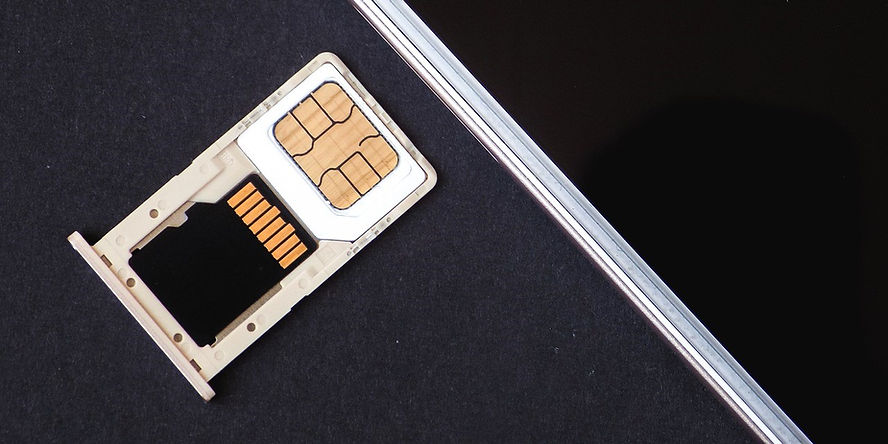
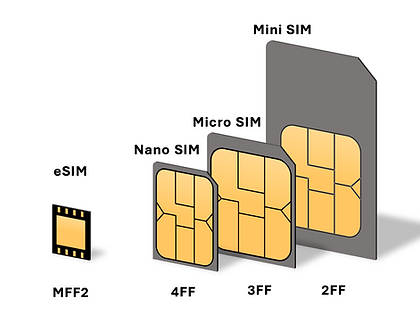
An eSIM is a digital version of a SIM card that allows you to connect to a cellular network without needing to insert a physical SIM into your phone. Most newer phones allow you to install multiple eSIMs and use two or more phone numbers at once.
Pros
- You don’t need to go out and buy a new SIM card each time you change location
- Its possible to swap between plans with the touch of a button
Cons
- Not all phones are eSIM compatible
- eSIM data allowances can be quite expensive
The two main ways to get an eSIM are to buy it from a local mobile provider, or get one from an eSIM specialist. After trying a few different eSIM options, I’ve settled on Saily, and to be clear I’m not sponsored by them, I just think they have a good product.
With Saily, I found it was extremely easy to setup the eSIM, and now that it’s installed I just add different data plans depending on where I’ll be. I can buy them in advance and have it automatically activate when I arrive at my destination, or buy it on the spot. There’s options for country, regions and then an Ultra plan, which covers 121 destinations with a 30 GB per month allowance.
If you want to try Saily, use the referral code TELICI6375 to get $5 off your first plan. It’s a good way to see if it works for you, without having to pay full price.
4. Apps for VOIP calling
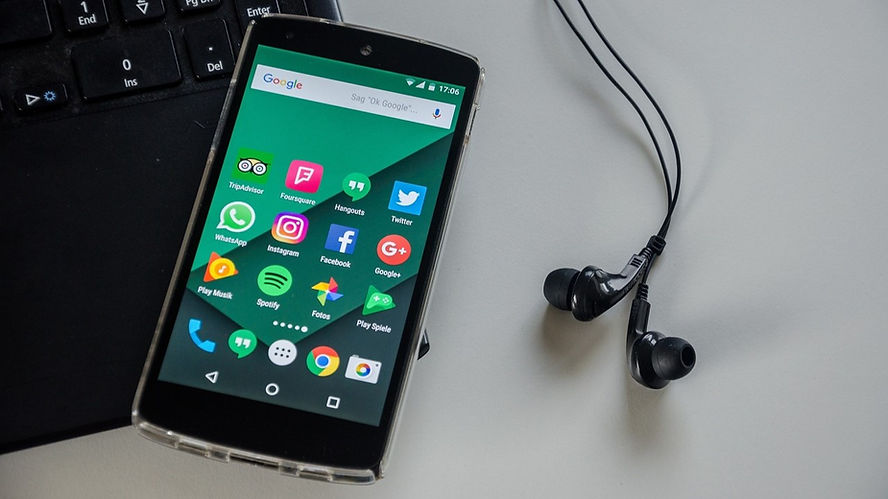
VoIP stands for Voice Over Internet Protocol, and is a way of making phone calls over your internet connection. It’s generally done using an app and works on Wi-Fi or with mobile data. You no doubt use VoIP apps already to stay connected with people in your life, like Whatsapp.
Some VoIP apps limit you to making calls to other app users, but the good news is, those apps are usually free. Users can be anywhere in the world, so it’s a good way to make free international calls. Here’s a few mainstream examples:
- Facebook Messenger
- Line
- Telegram
- Viber
Other VoIP apps give you the ability to call out to normal mobile phone numbers and landlines. This is a huge advantage if you need to get in contact with a business, bank or government agency who rely on standard numbers. These are a few of the companies out there whose services enable you to call external numbers:
- OpenPhone
- Dialpad
- Zoom Phone
- KeepCalling (My preference)
- Yolla
Pros
- You don’t need to go out and buy a new SIM card each time you change location
- It can be the most cost effective way to make international calls
Cons
- You need data or Wi-Fi for the calls to work
- Some apps only allow you to contact other people who also have that app
Personally I use a variety of the free VoIP apps, as well as credit for international minutes with KeepCalling. The KeepCalling rates are cheap, for example it’s 1.7 cents per minute to call the US from anywhere in the world.
5. Wi-Fi Calling
Wi-Fi calling is the result of phone carrier companies using VoIP technology to create a way their customers could use the protocol without turning to an app.
To use it you need to enable Wi-Fi calling in your phone settings. Then, when you make a call, it will route through the Wi-Fi network provided that’s stronger than your cell network connection.
Pros
- Don’t need to install a 3rd party app to use it
- You can skip buying a new SIM card each time you change country
Cons
- You need good Wi-Fi for the calls to work
- Not all phones support Wi-Fi calling
- Your carrier may still charge you for the calls so make sure you look into this
Staying connected abroad
No matter which option you choose, each offers a viable way to keep the lines of communication open as you travel the world. Personally we use a mix of all of them, switching between international calling option depending on what we’re trying to do.
In future we may add a satellite based service to the mix.
Already we use Starlink on our boat, as it offers the best solution for high-speed internet for boaters and sailors (more on that here). Now, they are beginning to roll out direct-to-cell satellite connectivity, allowing mobile phones to connect to satellites when they’re outside normal cellular coverage. As the plans and offers for this develop, it may become a viable way to make calls internationally.
FAQ
Do you have to pay for international calls?
Usually you do need to pay for international calls, although in some cases there may be an included allowance in your mobile plan. The main exception is free VoIP services, like Whatsapp and Facebook Messenger.
Are international calls expensive?
Whether or not international calls are expensive depends on your provider. For example, right now I’m in Trinidad & Tobago, and this is what it costs me to call people in the United States:
| Free to other users | |
| Digicel (Local SIM) | Free to landlines and mobiles within the free international minutes allowance |
| Vodafone (Australian SIM) | Up to 14.69 USD per minute |
| KeepCalling | 1.7 cents USD per minute |
How to do cheap international calls?
The cheapest way to make international phone calls is usually a VoIP app, like Whatsapp or KeepCalling. The other option is to get a SIM card with international minutes included in the plan, or get a cost effective eSIM.
How much do international calls cost per minute?
The cost of international calls per minute varies depending on the service, from as little cents per minute, to over 10 dollars a minute. This is why choosing the right provider for the task is key.
What are the best apps for making international calls?
Personally, I think KeepCalling and Whatsapp are the best for making international calls.
Can you make international calls for free?
Yes, you can make free international calls using certain VoIP apps or by having a phone plan with free calling minutes included.

One of the creators behind Travel Sketch, Telicia lives full-time aboard SV Liger. She’s a freelance writer who’s worked with a range of international companies, and serves as social media coordinator and magazine editor for noforeignland. With the Med and Caribbean done, she’s charting a course through the Pacific and Asia.








Leave a Reply